How DigitalCue works
The pictures are from the app, an example event in the middle of a live morning session.
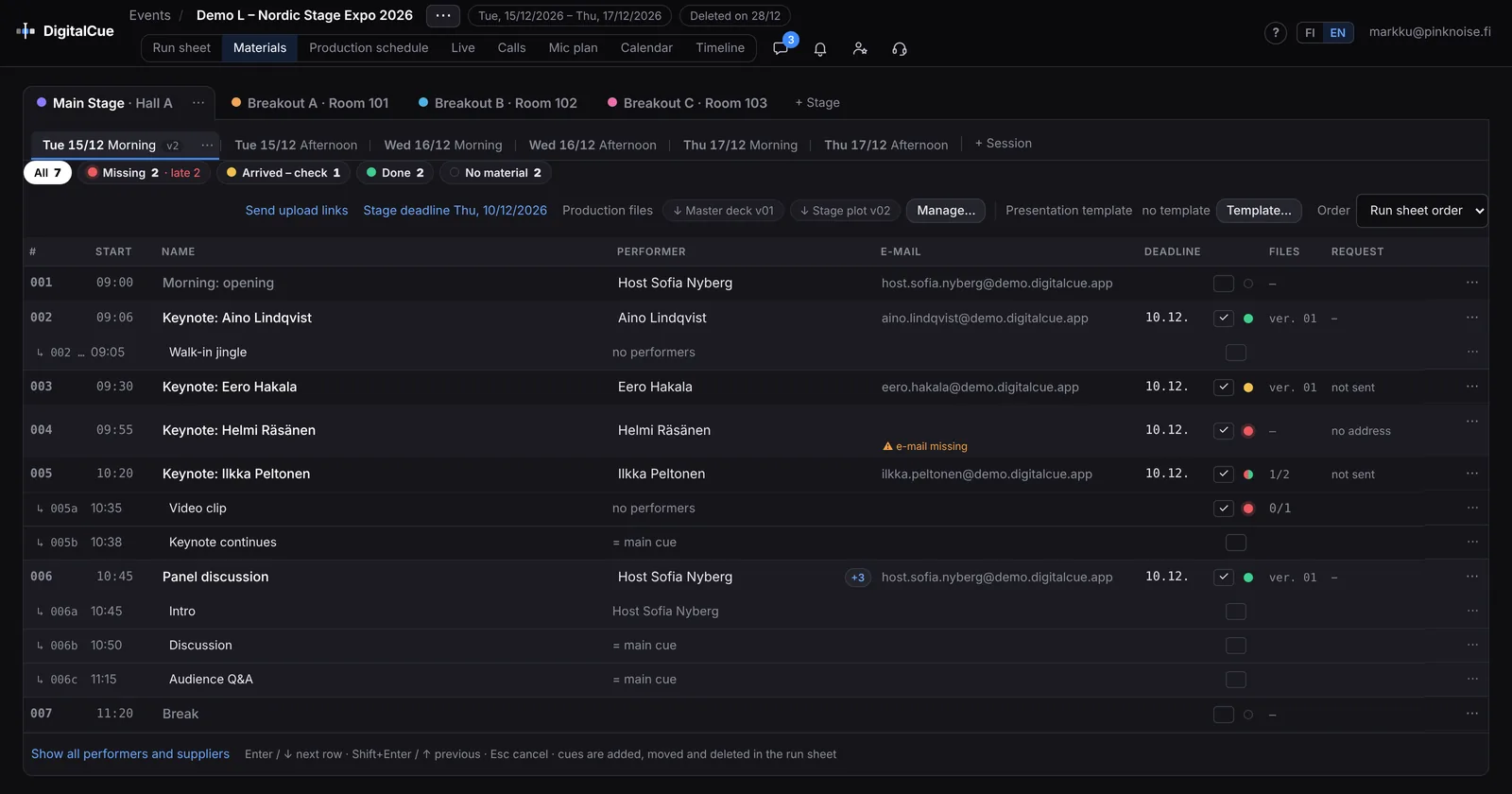
Material goes straight into the run sheet
Send the info e-mail and upload links to all performers at once, each with their own link. One view shows what has arrived, what is approved and what is missing or late.
- Upload links to every performer in one go
- Approve a file or send it back for fixes
- The technician always downloads the latest version
- Production files such as the master deck and stage plot ready for technicians in the same place
A run sheet everyone reads at the same time
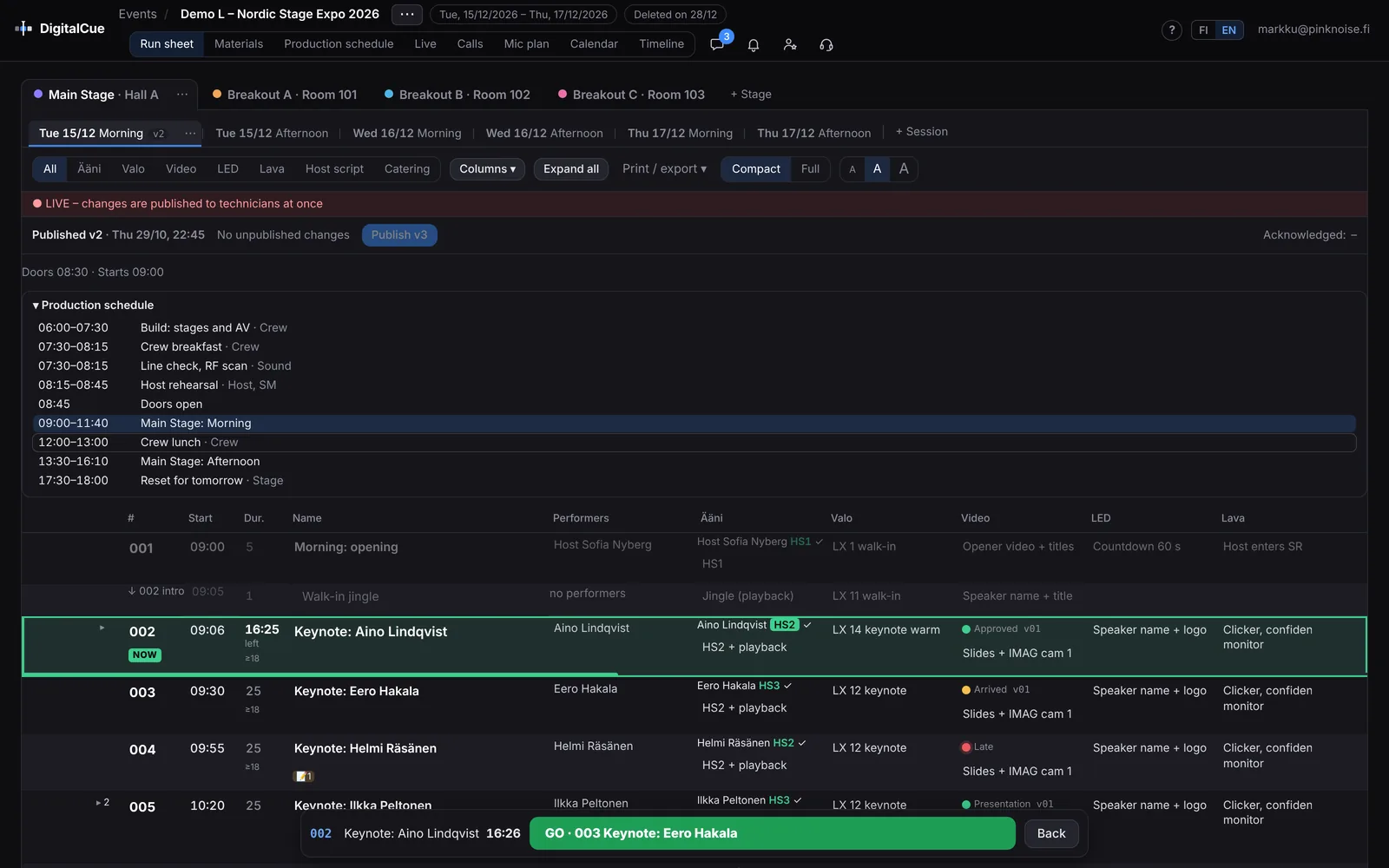
Edit departments and columns freely, for example sound, light, video, LED, stage and catering. When you change the run sheet, the tech crew sees it at once.
- Intros and cues inside a performance tied to the main cue: they move with it
- Production schedule in the same view
- Print it or save it as PDF
Live keeps the show on time
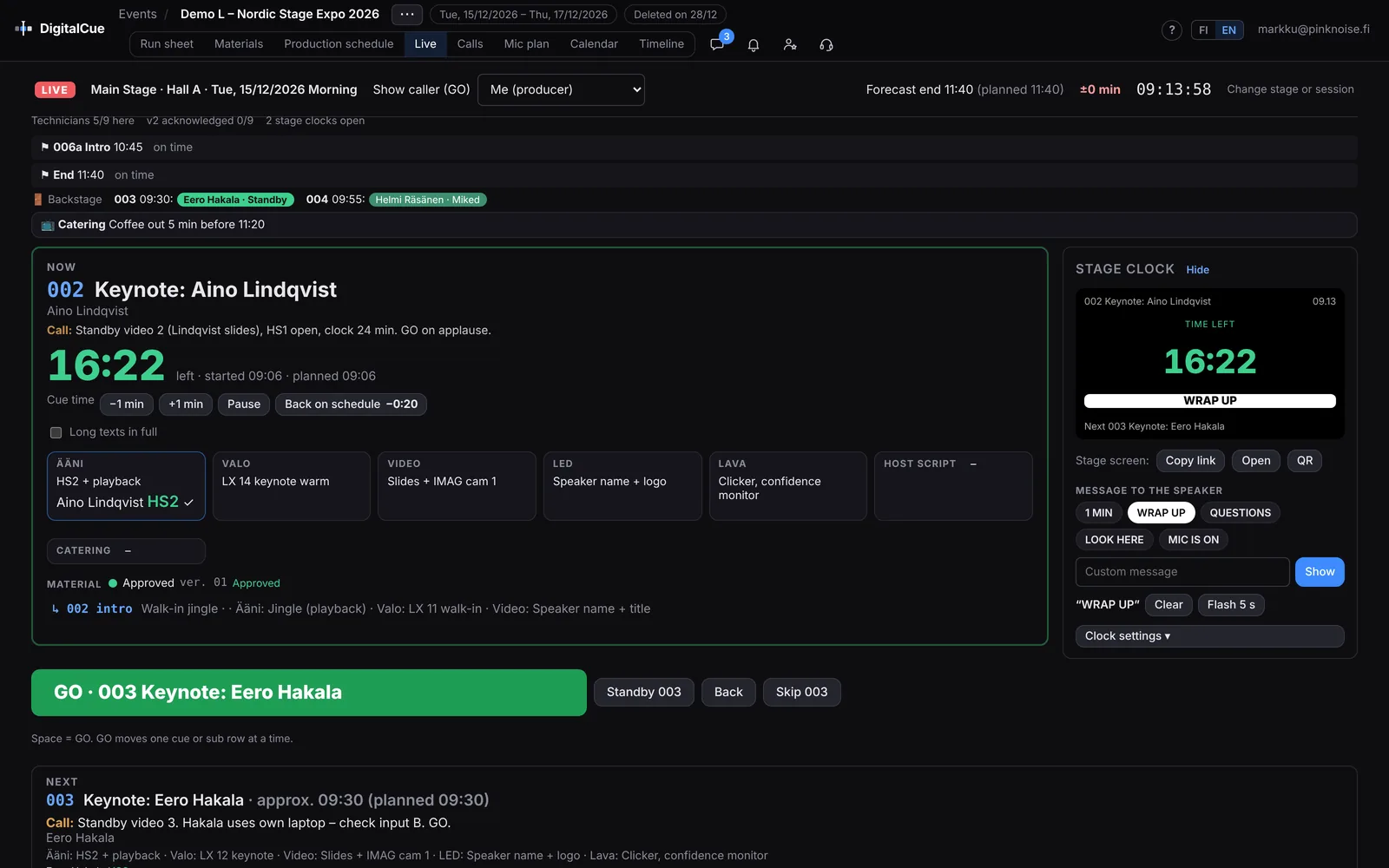
One GO button moves the show on. Live forecasts all the way to the end and suggests cuts when the show is about to run past the agreed time.
- Pin a cue to start at a set time, or give a cue its shortest possible duration
- Back on schedule adjusts the running cue so the next one can start at its planned time
A stage clock you can key into the picture
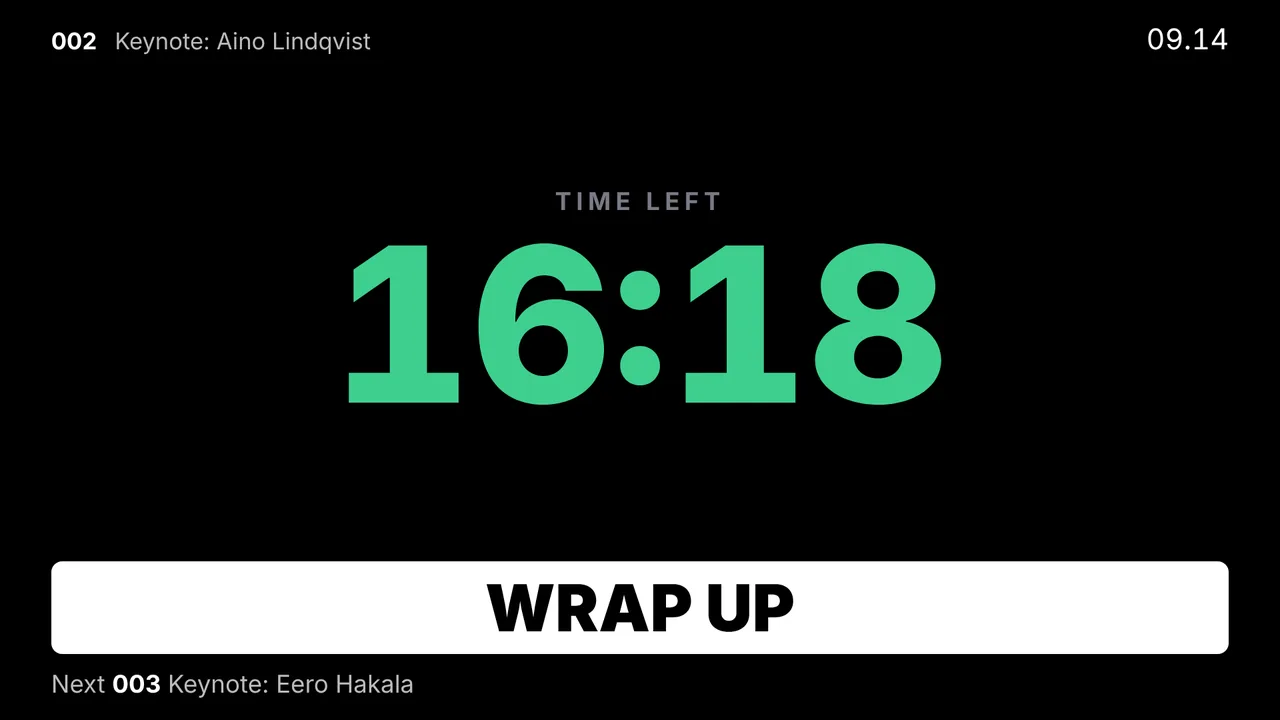
The stage clock opens on any screen in a browser. A message to the speaker is one click away. For keying, pick a green or blue background, or a transparent browser source for OBS or vMix.
- Choose where the clock sits and how big it is
- Time and messages only, for a keyed picture
- Open with a link or a QR code, nothing to install

Backstage knows who is next
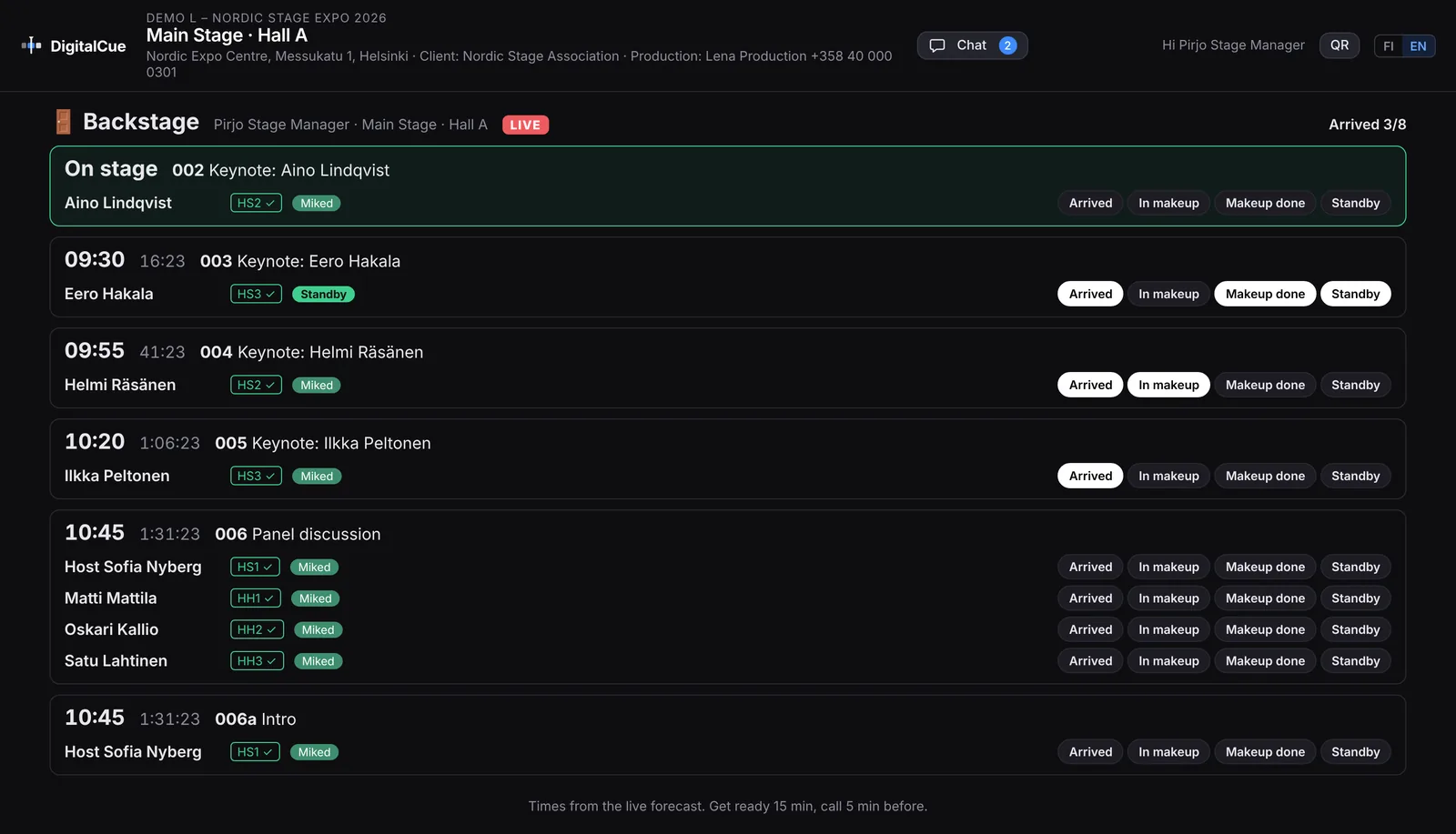
The call board lists the next performers in order and shows how long until each one is on, from the live forecast. The stage manager marks who has arrived and who is on standby, and the producer sees it in live.
- Times follow live: when the show runs late, the call board knows
- Prepare and call warnings on time
- Mic status on the same board
The mic plan is part of the run sheet
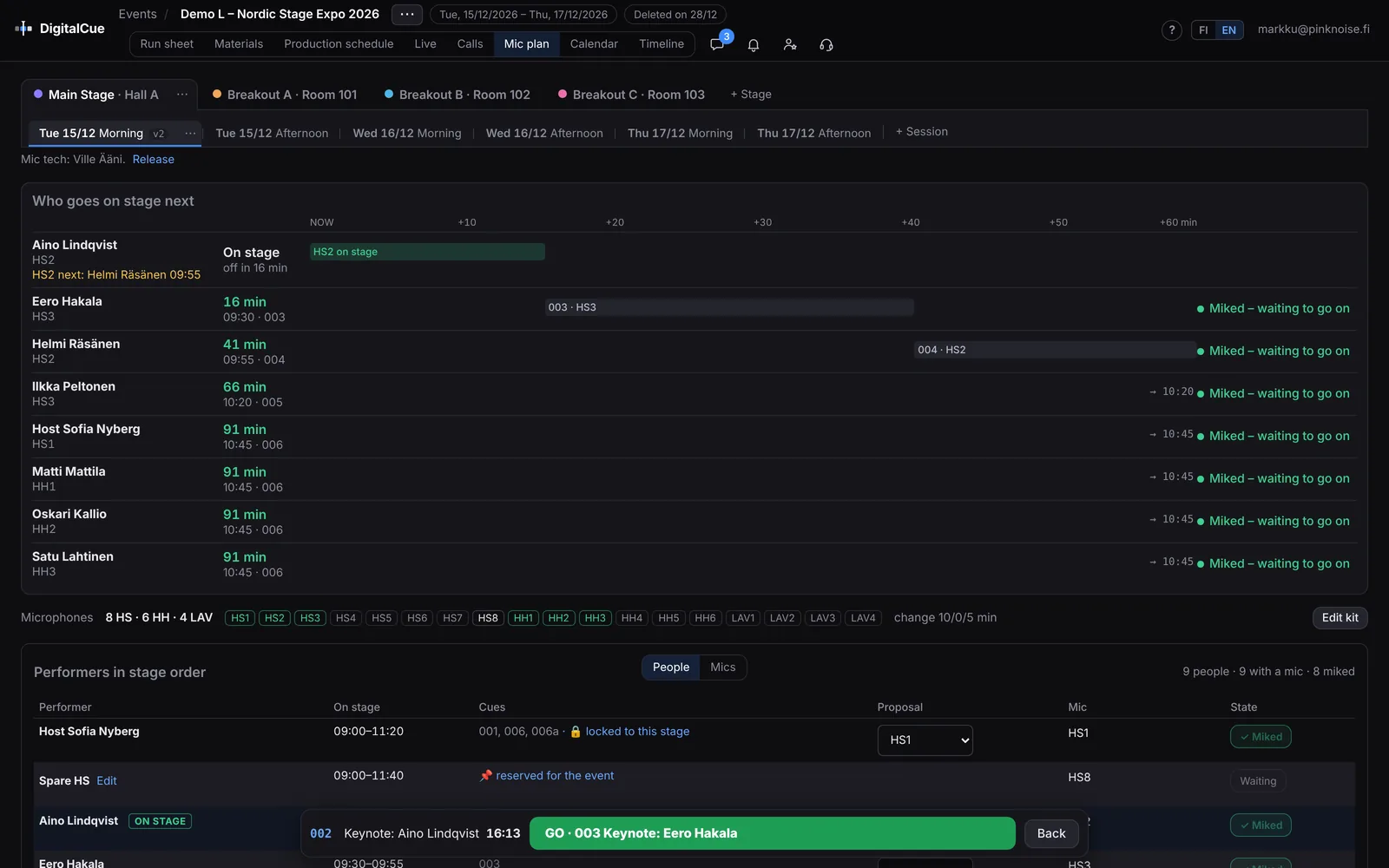
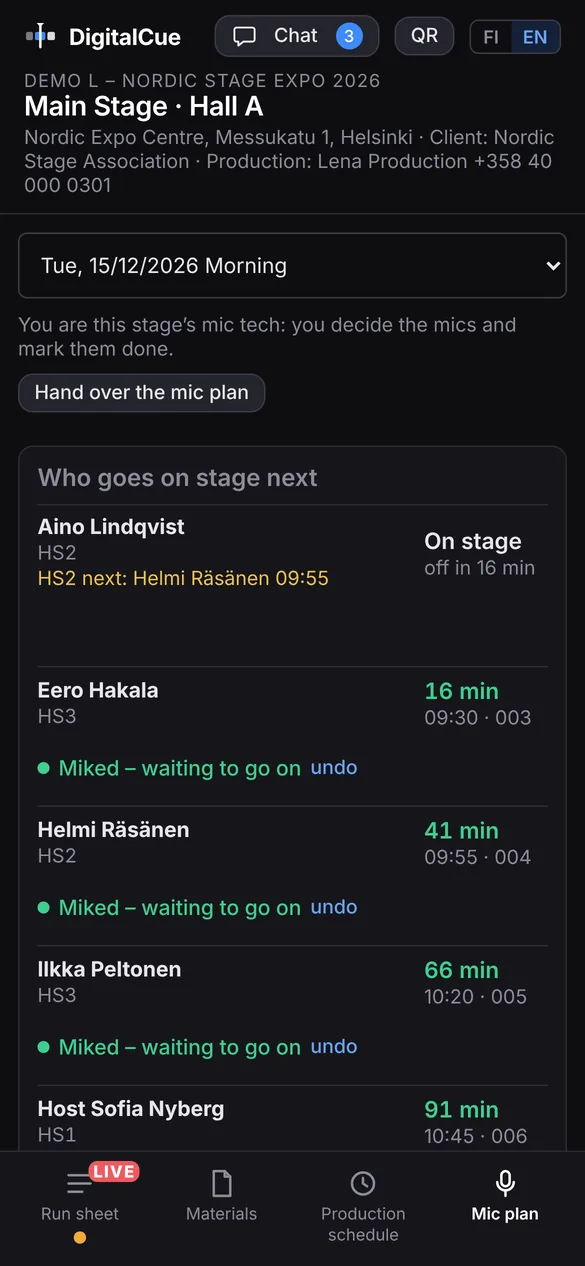
Pick the mic types and quantities and assign mics to performers. The mic tech sees on a phone who is miked next and when a mic comes free. The FOH engineer sees who is miked.
- Miked status in the run sheet and in live
- Change-over time between mics is taken into account
- A view of its own for the mic tech, on a phone
The kitchen in step with the show
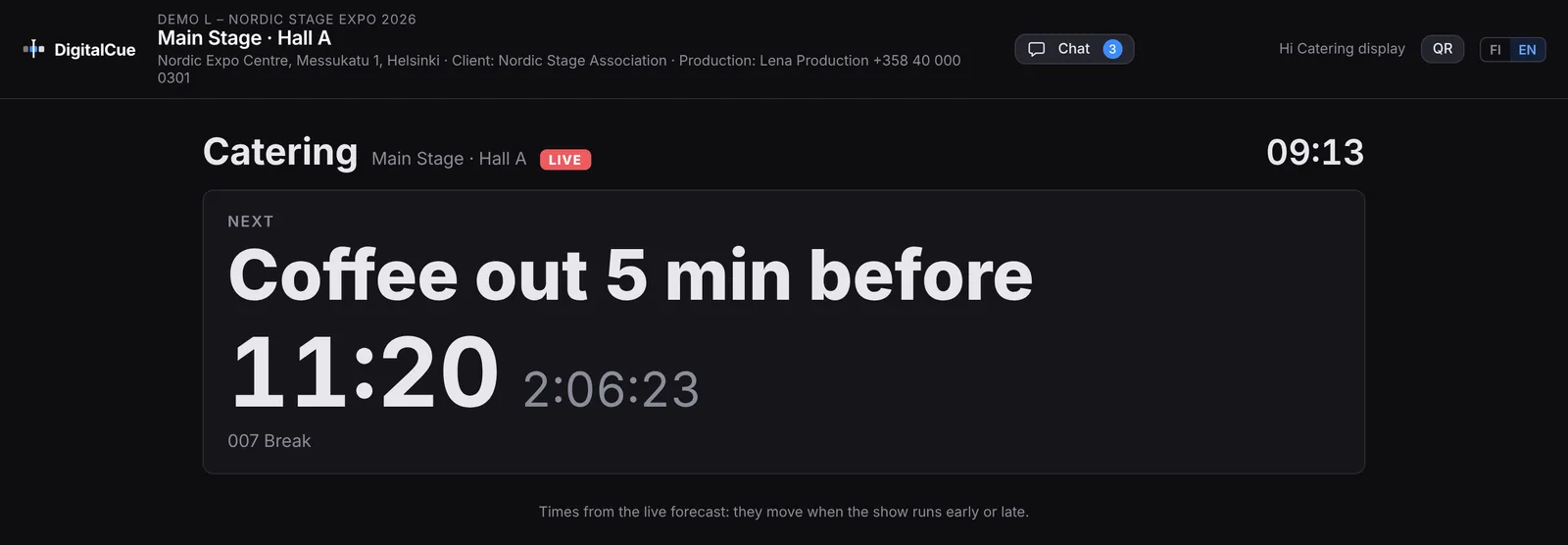
The kitchen, catering or any other department gets a screen of its own that shows only its own moments, timed by the live forecast. The warning comes ahead of time, and the time moves if the show runs late.
- Warnings, for example 10 and 5 minutes before
- Any screen or tablet
- No access to the rest of the run sheet
Files are kept safe and deleted on time
Files are stored encrypted. The event and all its files are deleted automatically on the deletion date, so the client's slides do not linger on anyone's laptop or in an inbox.
We are opening DigitalCue to a few production companies now.
Tell us what kind of events you produce. We go through the tool together, using your own events.